Electa LMS is a full featured Learning Management System with a large set of modules available out-of-the-box and ready to use by educators and training organizations. You will find all necessary components for administration, documentation, tracking, reporting and delivery of educational courses or training programs. Instructors can administer tests and other assignments, track student progress, and manage record-keeping. With Electa LMS schools can deliver all forms of learning – online, blended, synchronous and asynchronous.
Student Management & Staff Administration
Electa LMS supports advanced tools for students and staff administration. All students and teachers have personal profiles with username/password to log into the system. This allows tracking and assigning different types of access to certain site areas.
Logical Grouping & Group Access Permissions
Arrange your students and staff members into multiple groups. Each user can be a member of one or multiple groups at the same time. Assigning mass group permissions to courses and resources significantly reduces the administration work. Multi-level student grouping allows categorizing students into groups based on subjects, interests or years of study. Group subscriptions makes it easier for you to manage large number of students at once.
Student Self-Registration
Enable student self-registration for new students. With this option each student creates their own profile by filling in a registration form. The system automatically emails username and password to the student and administration gets notified as well. Registration forms can be published on your own website.
Teacher Accounts with Access Control
With Electa Learning Management System your teachers have their own personal profiles. Apply permissions on certain actions for each teacher depending on their role in your training organization. Teachers can be granted access to all or just certain groups of students. In addition, teachers can be provided with content creation and class scheduling permissions.
Easily Import & Export User Information
Built-in tools exist for importing and exporting student and staff profiles to to and from your database. With just a few quick actions you can create multiple user profiles at once instead of adding them one by one when migrating your existing database.
Online Course & Content Development
Electa LMS will give you a powerful set of tools to create and manage engaging online courses for your students and learners. Create simple or multi topic courses with audio, video and text lessons and multiple other different resources. You can also create paid online courses and sell your learning content online.
Course Categorization
Organizations and schools usually have a variety of courses to offer to students and employees. With Electa LMS courses can be logically categorized in one or more course categories.
Advanced Online Course Builder
The Online Course Builder is a powerful tool to help you create engaging online courses for your students and learners. Create online courses of with different structures – topic or weekly based online courses or simple online tutorials. Develop rich course content and engage learners by creating effective lessons with beautifully formatted content. Embed course resources like images, audio, video, files and tutorial. Link to different external resources.
Different Course Formats – Weekly, Structured, Timed
Deliver your learning content in the most efficient way. Choose among different course formats that will be most suitable for your course and your students. You can build multi-topic courses or courses with time dependent topics.

Access Restricted, Self-registration & Paid Courses
We support different course types of access. Open access courses are available for all your students. Courses with access restriction are only available to students or groups of students selected in advance. There are also self-registration and paid courses. Students will be allowed to register and optionally pay for the course before any access is granted. Multiple currencies are supported.

Multiple Course Content Creators
Sometimes you may have courses which are led by more than one instructor. For situations like this we provide the option to have multiple course content creators on each of your online courses.
Forums & Online Discussions
Further engage learners by initiating discussions on certain course topics or lessons. Within discussion forums, students share thoughts and review the ideas of other students. Through discussions and forums trainers receive valuable feedback from students.
Publishable Course Catalogs
Reach out to more learners by publishing course catalogs, student registration and sign up forms on your or other websites. Our easy to use LMS integration tools make integration of Electa Live Learning Management system as simple as copy/paste.
Arrange Paid Courses and Tutorials. Accept Payments from Students.
Paid online courses and live classes have never been easier. With Electa Learning Management System you can create and deliver paid online courses and tutorials. Students get access to your online course only after they submit a payment. Payments and access control are handled automatically. You can accept credit cards through Stripe, 2Checkout and Braintree merchant accounts, PayPal, bank transfers, checks and other payment methods. No commission is collected by us.
Integrated Virtual Classrooms for Live Online Classes.
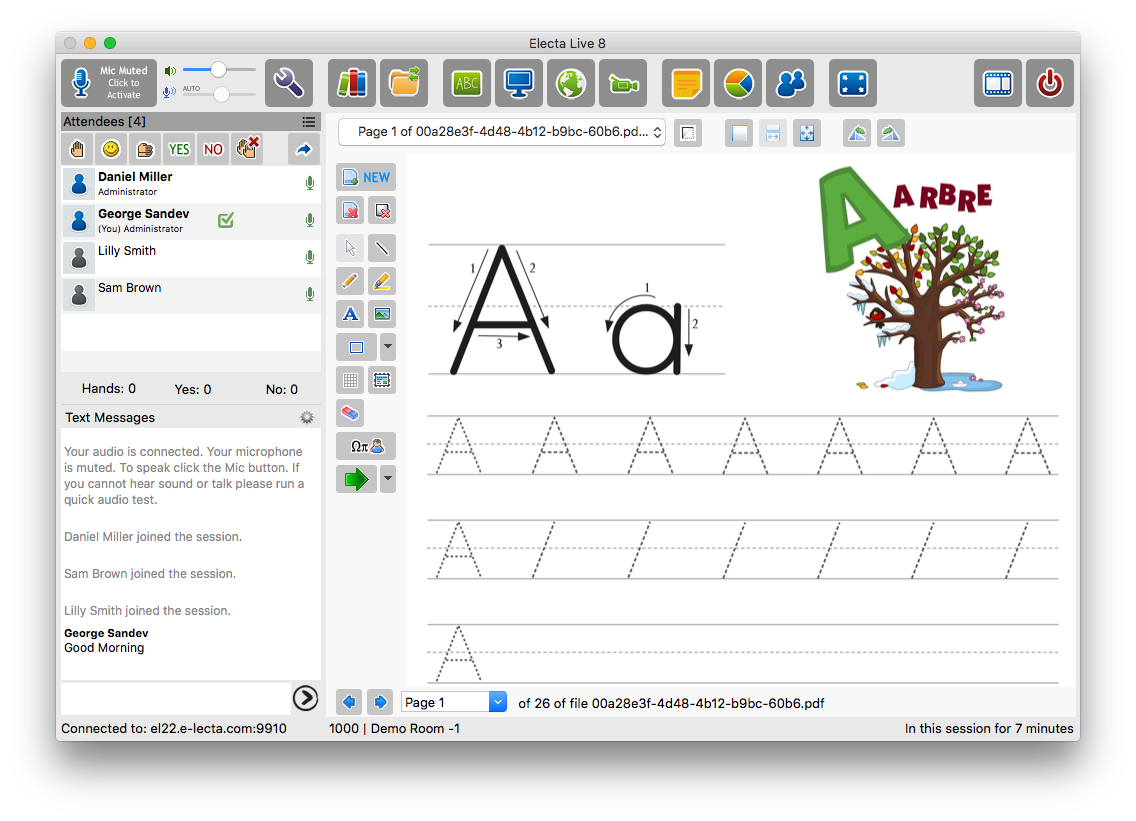
The live online classroom is a natural part of your Learning Management System. With Electa LMS teachers and trainers can schedule live online meetings and classes as part of their courses. No extra software or separate licensing is needed to have synchronous live training sessions. It is just part of the service.
Live Class Calendar
An integral part of your portal is the advanced live class (session) calendar. You can have simple (one time) live events and classes or complex recurring live sessions happening on certain days. Different calendar views are available - daily, time line, weekly and monthly. These calendars can also be published on other websites.
Email Invitations for Live Events
Easily send email invites to your students for their live classes and online meetings. You can use a standard email template or create your own custom invitation.
Different Types of Access to Your Live Classes
Your live online classes can be a part of your self-paced online courses or scheduled as standalone classes. For the latter you can apply different types of access - open events and online meetings, access restricted sessions and even paid and registration enabled live sessions.
Resources & Libraries
Files and course resources are stored into centralized resource libraries. This allows schools to follow centralized content management policies. On the other hand, each staff member or student is provided with a personal resource storage where files are automatically gathers. Administration users are granted full access to these resource libraries.
Recorded Session Libraries
With Electa live virtual classroom sessions can be recorded upon request. Your live session recordings can be used for quality control purposes, proof of attendance or certification. Your recordings are stored into a special library and can be used as part of your online courses. You can also grant individual or group playback permissions on recordings.
Unlimited Storage for Your Content and Resources
Our customers already know – when we say unlimited we really mean it. We do not limit your storage in any way. Keep all your files, media and content without any limits. If your subscription stays active you can store as much as you wish.

Homework, Testing & Assessment
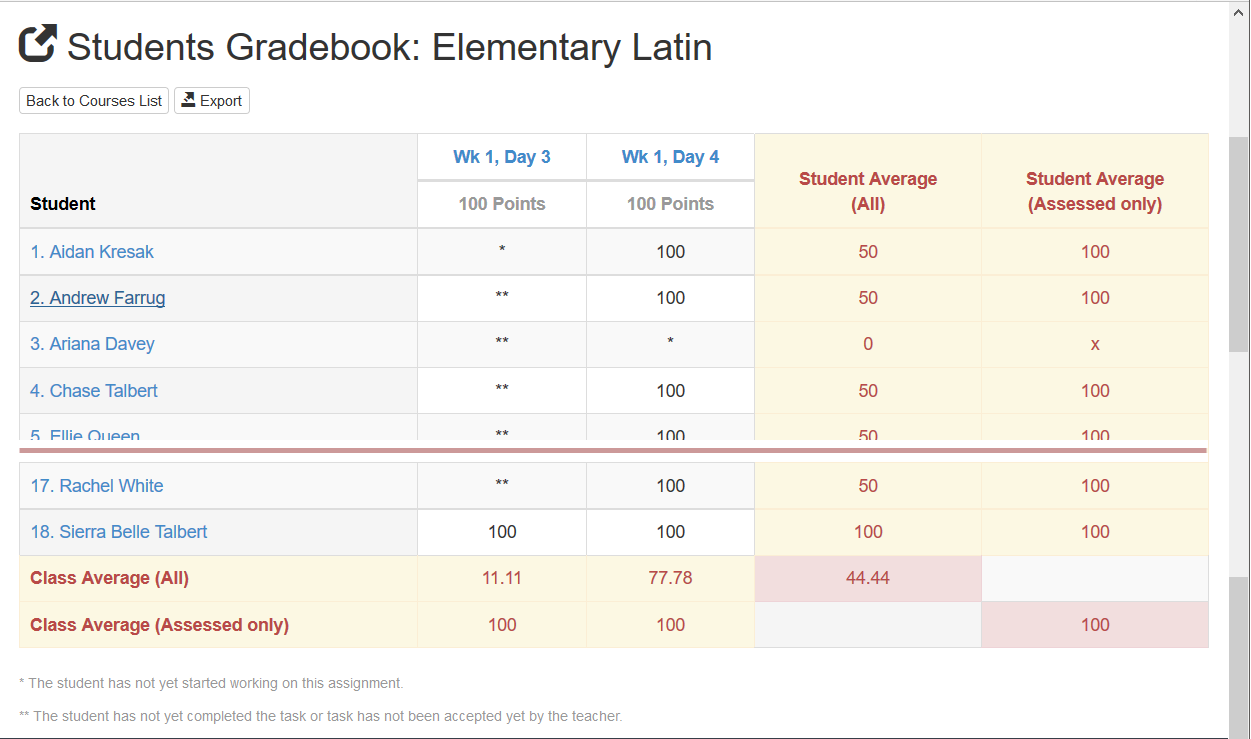
Assess your students with online quizzes and assignments. Encourage them to self-improve by giving regular homework and tasks to complete. Grading is click-easy with automatic Grade Books and custom scales.
Quizzes and Exams, Automatic Assessment
Design online quizzes, term or mid-term exams, entry tests, level tests - separately or as part of your online courses. Quizzes can have different types of questions like “select one”, “select many” and even “open questions”. Use rich formatting for your quiz questions – like videos, images and even attached files. Rate your quiz questions and let Electa LMS to assess your students automatically. You receive detailed statistics for the group participation and completion rates as well as performance averages.
Grading & Reporting
We have even though about your grading scales. Automatic letter or numbered grading is available through predefined or custom defined grading scales. Percentages are automatically converted to grade letters and grade numbers.
Grade Books Reports
Grade book reports are created with just a click. Course assignments, tests and quizzes are collected automatically to form your course grade book reports. Results are presented with in percentages and grade letters.
Attendance Reports
For every student, teacher and live virtual classroom we keep detailed attendance reports, to show you how much time your users spent in your virtual classroom. Attendance charts are also available for better visual representation.
Certification & Diplomas
Issuing of certificates and diplomas has always been a challenge for online training companies and schools. Well, not any more. Electa Learning Management System has already done this job easy for you by providing a special module to issue certificates and diplomas with just a click. There are multiple standard certificate templates and templates for diplomas which you can choose from or you can easily create your own ones. The system keeps a register of all certificates and diplomas that you have issued. Your students can download these as PDF files or view them online on computers, tablets or mobile phones.

Notifications & Announcements
During your school year or school terms you will inevitably want to notify your students and staff about certain events, holidays or other important matters. You will find that task quite easy to accomplish with the announcements tool available in your LMS account. Messages and announcements may be directed to all or certain students only. You can also issue public-wide announcements for your visitors on your front page.
Customization
An important part of every learning management system is the ability to customize and configure certain modules and appearance. Electa Learning Management System provides a wide range of customizable options which you can use to make your LMS portal match your requirements.
Custom URL & Custom Domain
Electa LMS is accessible from a web browser on computers, phones and tablets. When you sign up for your LMS account you receive a standard (common) url address like www.school-network.net. You can customize this by enabling a custom subdomain or entirely different domain name at your choice.
Change Logo, Titles & Themes
You can change the logo the titles and even color theme of your learning management portal, so that it looks unique and better recognizable to your students and staff.
Multiple Languages & Different Time Zones
The learning management system is available in multiple languages. Currently we provide a version in English, French, Spanish, Italian, Russian, Arabic, Bulgarian and Portuguese. Foreign language speaking students will feel no difficulties to navigate, experiencing no efforts to understand and read, thus focusing better on performance. We have also thought about users living in different time zones. You may have your course and live classes scheduled in one-time zone, while the system will automatically convert the times into the student's time zone.
SEO & Analytics Tools
We also provide different Search Engine optimization options for your LMS pages. You can specify keywords, custom titles and descriptions. This will help search engines to find your LMS content pages more easily. A very important feature is the ability to link your Electa LMS to Google Analytics where automatic site usage statistics will be gathered for you.
Customizable Email Templates
The system notifies you, your students and your staff for certain actions by sending them email messages. For example - when a new homework is administered to students they receive a notification email message. When students submit their work, the respective instructor is notified by an automatic email. These automatic email messages can be customized as per your specific preferences. We have developed an email template builder to help you build your custom email templates.